Skip to content
Official UnoPIM partner

Refine your UnoPIM
images through conversation.

Select products from UnoPIM, refine the results through follow-up messages, and choose what gets saved back.

Tell DreamLayer what to change. It picks the right image model for the task.

Request a UnoPIM demo

View extension on GitHub

UnoPIM / ProductsWorkflow illustration
UnoPIM CatalogEnabled

2021 Ford Mustang

ABLO-029

Original red Mustang in the illustrated catalog✓ Selected for editing
Product imageimage
IMAGE VERSIONS
Blue version of the Mustang
Blue
Parking
Cutout
Review before applying✓ Image saved to product
DreamLayerImage chat
@2021 Ford MustangGive it a plain blue background.

Here it is on a plain blue background.

Mustang on a blue studio background
Blue background
Apply to product
  1. Select product images
  2. Refine the same result
  3. Review each preview
  4. Choose what gets saved
BUILT AROUND YOUR CATALOG

UnoPIM manages the product.
DreamLayer refines the image.

Your product information and permissions stay in UnoPIM. DreamLayer keeps each image edit linked to its product, SKU, and image field.

Compare versions, refine an earlier result, and save the one you choose to that product. Generating a preview leaves the catalog image unchanged.

REFINE THROUGH CONVERSATION

Keep refining
the same image.

Start with a blue background, ask for a parking lot, then turn that result into a cutout. Each follow-up builds on the previous image. Earlier versions stay available, with the product attached throughout.

45 secondsOpen full video

One car, four versions.

The original image and the actual results from this conversation.

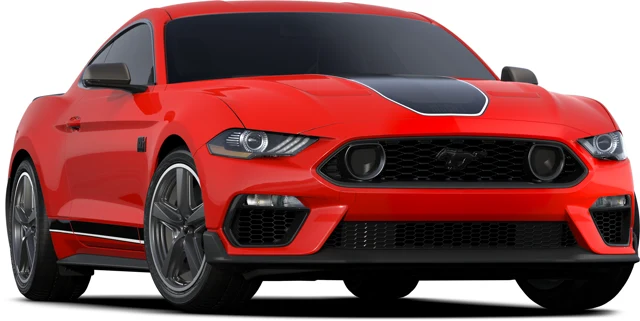
  1. Original red Ford Mustang product image
    00

    Original image

    The starting point in the catalog.

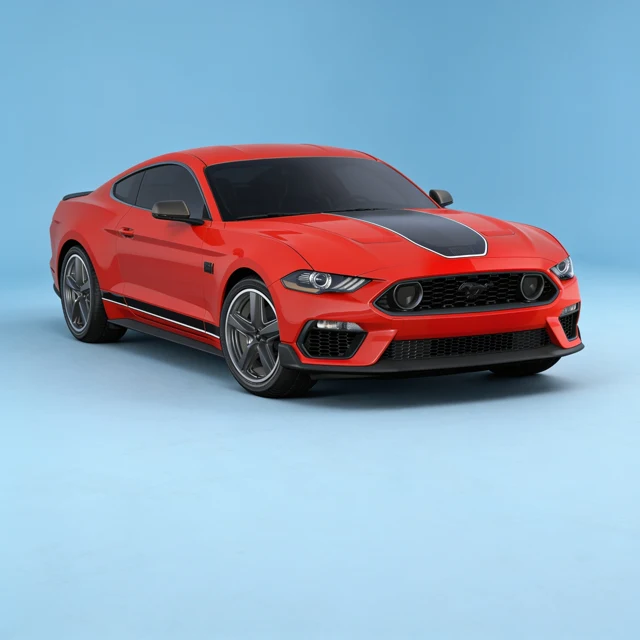
  2. Red Ford Mustang against a plain blue studio background
    01

    A plain blue background

    Start with a simple change.

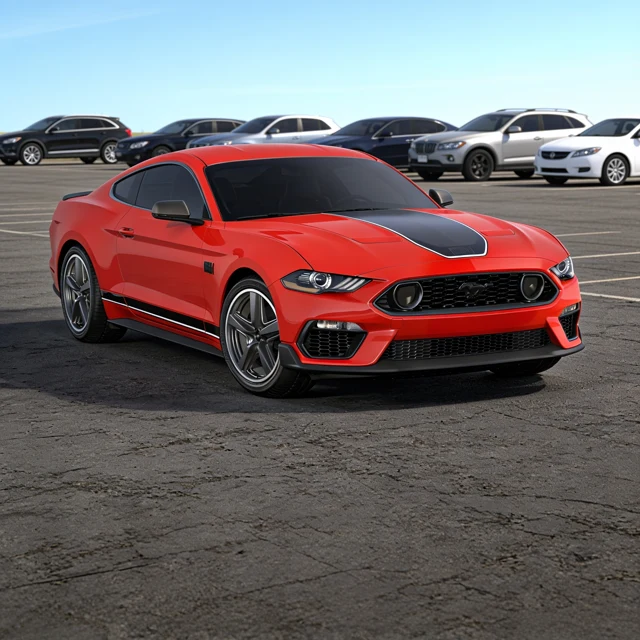
  3. The same red Ford Mustang in a sunny outdoor parking lot
    02

    A new setting

    Continue with a sunny parking lot.

  4. Red Ford Mustang with its background removed
    03

    Background removed

    Refine that result into a cutout.

BULK IMAGE EDITING

One instruction.
Review each product.

Select several product images and describe the change once. Each gets its own preview and Apply button. Give both cars a showroom setting, then decide separately which result to save to each product.

25 secondsOpen full video
BUILT AROUND THE WORK

From listing images
to campaign ideas.

Work with the product images already in UnoPIM, then refine them for the job at hand.

Prepare listing images

Create a clean background, adjust it through follow-up messages, and review the final image before updating the listing.

Explore a campaign setting

Try a new scene for an existing product. Build on the result or return to an earlier version to take it in another direction.

Give a collection one direction

Request the same setting across selected products. Review each image separately before applying it to its product.

OFFICIAL UNOPIM PARTNER

Built specifically
for UnoPIM.

DreamLayer is an official UnoPIM partner. Our extension works inside UnoPIM’s chat, with its products, image fields, and catalog permissions.

Works in UnoPIM’s chat
Respects catalog permissions
Review before applying

Available as a separate extension. Contact us to confirm compatibility with your UnoPIM version and setup.

GOOD QUESTIONS

A few things
to know.

What does DreamLayer add to UnoPIM’s AI tools?

UnoPIM already provides AI tools for managing product data and creating product images.

DreamLayer adds a deeper visual-production workflow: keep refining the same image through conversation, work across leading image models, apply one visual instruction to multiple products, and review each result individually before saving it.

Explore UnoPIM’s AI image tools

How is DreamLayer different from UnoPIM’s built-in image generation and editing?

UnoPIM manages the product and catalog workflow.

DreamLayer focuses on the visual workflow around those products. It keeps track of previous image results, lets you continue refining them, and handles model selection and routing across leading image models based on the task.

Why use DreamLayer instead of choosing an AI provider in UnoPIM?

With DreamLayer, your team does not need to decide which image model to use for every task.

Tell DreamLayer what you want to change and it chooses the appropriate model behind the scenes.

Is DreamLayer built into UnoPIM?

DreamLayer is provided through a separate UnoPIM extension rather than being part of UnoPIM core.

This keeps DreamLayer-specific functionality separate while allowing the visual workflow to operate directly alongside your UnoPIM catalog.

Is DreamLayer an official UnoPIM partner?

Yes. DreamLayer is an official UnoPIM partner and the integration has been developed specifically around UnoPIM workflows.

Does generating an image change my product?

No. Generating or editing an image creates a result for you to review first.

Your product is only updated when you choose to apply the result.

Can I edit the previous result?

Yes. DreamLayer keeps previous results available in the conversation.

You can continue refining the latest result or return to an earlier version and take it in a different direction.

Can I edit several products with one instruction?

Yes. Select multiple product images and describe the change once.

DreamLayer generates a separate result for each product so you can review, refine, and approve them individually.

How do I get the UnoPIM extension?

Download the DreamLayer extension from our GitHub releases and follow the installation guide. Contact us if you would like help connecting it to your UnoPIM setup.

What do I need to try it?

You need a UnoPIM installation and a DreamLayer account.

Contact us and we can help you connect the integration and provide credits for testing.
LET'S MAKE IT USEFUL

Bring a UnoPIM product.
Let’s refine its image.

Show us the change you want. See how DreamLayer builds on each result while you choose what gets saved in UnoPIM.

Request a UnoPIM demo Tell us your platform version and the image workflow you want to improve.

DreamLayer for UnoPIM

Demo video · 1:20