Upload the full shoot
Bring in the complete set so DreamLayer can compare every frame in context.
Photo culling and editing
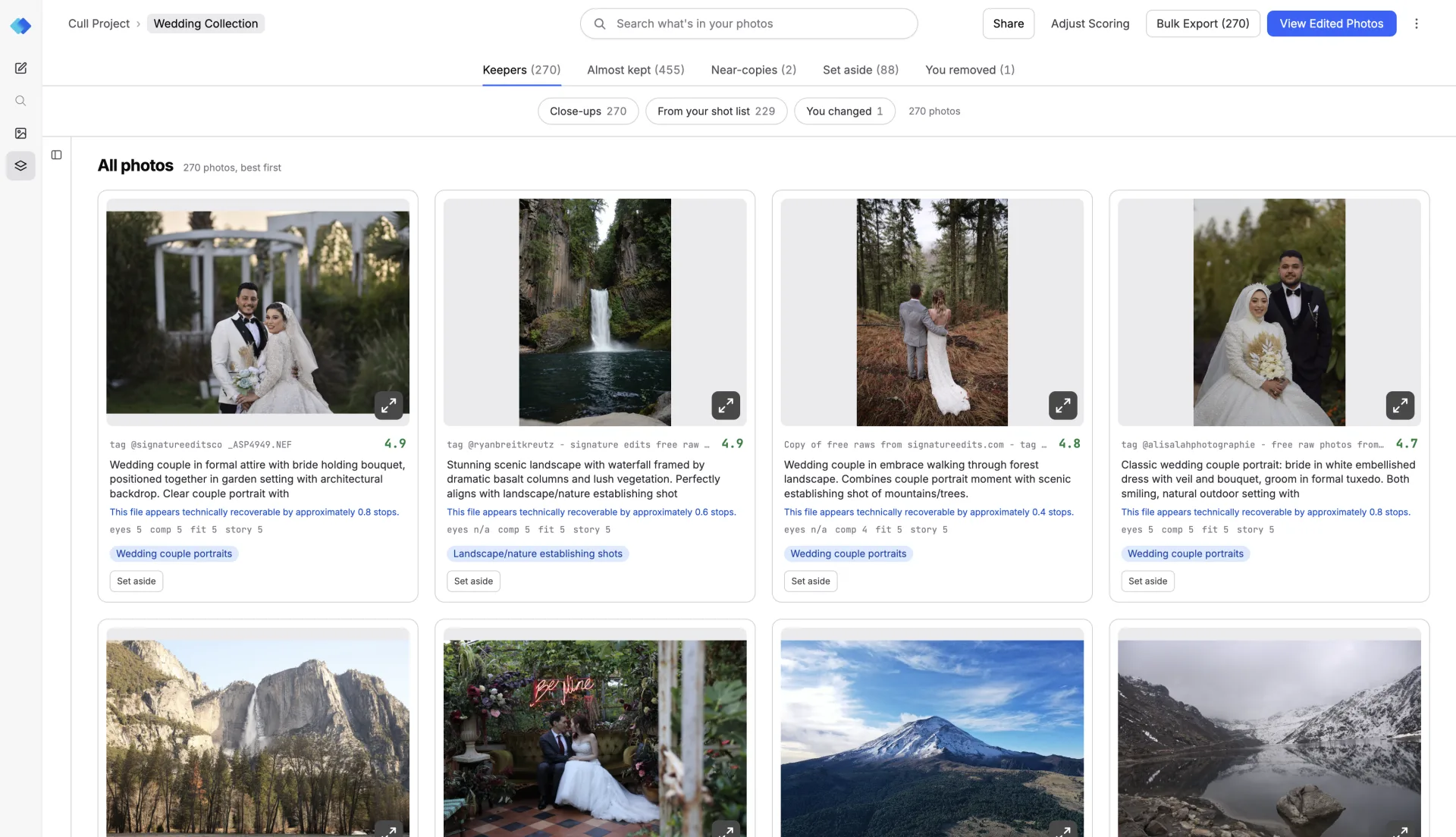
DreamLayer compares moments in context, shortlists the strongest frames, and keeps every final choice in your hands.
How it works
One connected workflow for selecting the strongest photographs, reviewing every choice, and delivering the set.
Bring in the complete set so DreamLayer can compare every frame in context.
Describe what matters for this shoot, including expressions, key people, and peak action.
Compare similar moments, change any selection, and approve the photographs you want.
Finish the selected photographs and export the set from the same workflow.
Visual context
DreamLayer evaluates what is happening in a frame, not only whether the pixels are clean.
Compare expressions, subject visibility, and the strongest frame in each group.
Find blinks and closed eyes while keeping intentional moments available for review.
Tell accidental blur apart from motion that belongs in the photograph.
Group bursts and near-copies so you can choose the exact moment you prefer.
Find contact, takeoff, finish-line, and decisive play moments inside long bursts.
Check whether the ball, racket, bike, or other important equipment is visible.
Favor frames where the main athlete is easy to see and not blocked by another player.
Surface emotion after the play, including wins, embraces, and crowd reactions.
Compare culling workflows
All three help photographers review shoots faster. The table explains what each workflow pays attention to.
| Capability | Aftershoot | Imagen | DreamLayer |
|---|---|---|---|
| How photos are chosen | Uses quality checks and automated selections | Uses quality checks with preferences | Reads the full shoot and the meaning of each moment |
| Similar photos | Groups duplicates and checks key faces | Groups similar photos and suggests keepers | Groups bursts and explains why one moment is stronger |
| What it looks for | Blur, eyes, duplicates, and image scores | Sharpness, exposure, faces, and quality | Quality, scene, intent, action, and subject context |
| Sports photography | Uses general photo quality checks | Uses general photo quality checks | Looks for peak action, equipment, clear subjects, and reactions |
| After selection | Continues to editing and export | Sends selected photos to editing | Keeps selection, editing, and delivery in one workflow |
Comparison reflects publicly documented product workflows available in August 2026. Features can change.
FAQ
Direct answers for photographers comparing culling and editing workflows.
AI photo culling reviews a shoot, groups similar frames, and suggests the strongest photos. DreamLayer gives you a faster first selection while keeping every final choice in your hands.
DreamLayer compares focus, expression, subject visibility, composition, motion, and the meaning of the moment. It looks beyond technical quality to find the frame that best captures the action.
Yes. DreamLayer can look for peak action, equipment visibility, clear athletes, finish-line moments, contact, celebrations, and reactions alongside standard quality checks.
Yes. DreamLayer can group repeated moments, compare expressions, identify important people, and surface storytelling frames across weddings, concerts, conferences, and other events.
No. DreamLayer organizes the shoot and recommends keepers. You can keep, set aside, or change any selection before editing or export.
Yes. Culling and editing stay in one photography workflow, so you can approve the keepers and continue without moving the shoot to a separate product.
DreamLayer can group bursts and near-copies, compare faces and expressions, find closed eyes and focus issues, understand motion, and recognize context-specific moments such as sports action or celebrations.
DreamLayer supports common image files and supported camera RAW files. The available formats are shown before upload, and unsupported files are identified before the shoot starts processing.
Aftershoot and Imagen provide established AI culling workflows. DreamLayer focuses on visual-language understanding across the whole shoot, including scene meaning, intent, action, and subject context.
Open the photography workflow, upload the full shoot, describe your priorities, and review the grouped recommendations. You can change every selection before continuing to editing or export.
Photo culling and editing
Review the full shoot, approve the keepers, and finish the set in one workflow.