D&D character art that stays the same character across the campaign.
Describe your character's ancestry, class, gear, and mood. DreamLayer creates a portrait. Use that portrait as a reference for later images, from a tavern scene to tabletop token artwork.
01The portrait02The same character in a scene03A token-ready square
Start your character
From your imagination to your next session.
Describe a portrait, a full-body adventurer, or a moment from your campaign. Start with a suggestion or add a reference of your character.
Suggested for you
One character, three uses
Start with a portrait. Carry the details into your next scene.
These three images were made in order. The second and third images use the first portrait as the reference. The prompts below are shown as used, shortened only where they repeat.
01 / Same character
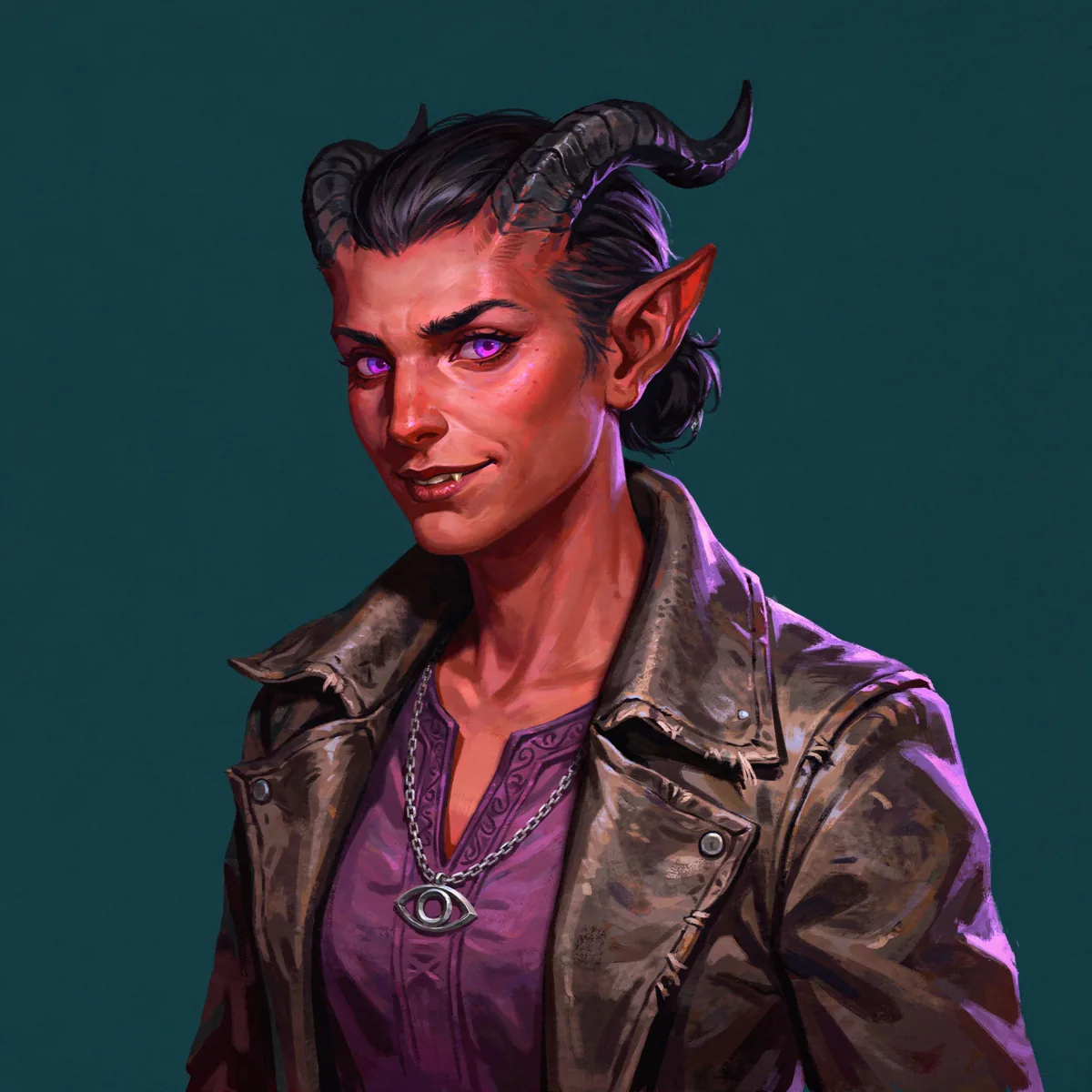
The portrait
Describe the character once. Include the ancestry, class, skin, horns, hair, clothing, and one item that makes the character easy to recognize.
Fantasy tabletop character portrait for a D&D campaign: a tiefling warlock, deep crimson skin, curved black horns, glowing violet eyes, short dark hair, a worn leather coat over a purple tunic, a silver chain pendant shaped like an eye. Waist-up, three-quarter view, painterly illustration, plain dark teal background.
02 / Same character
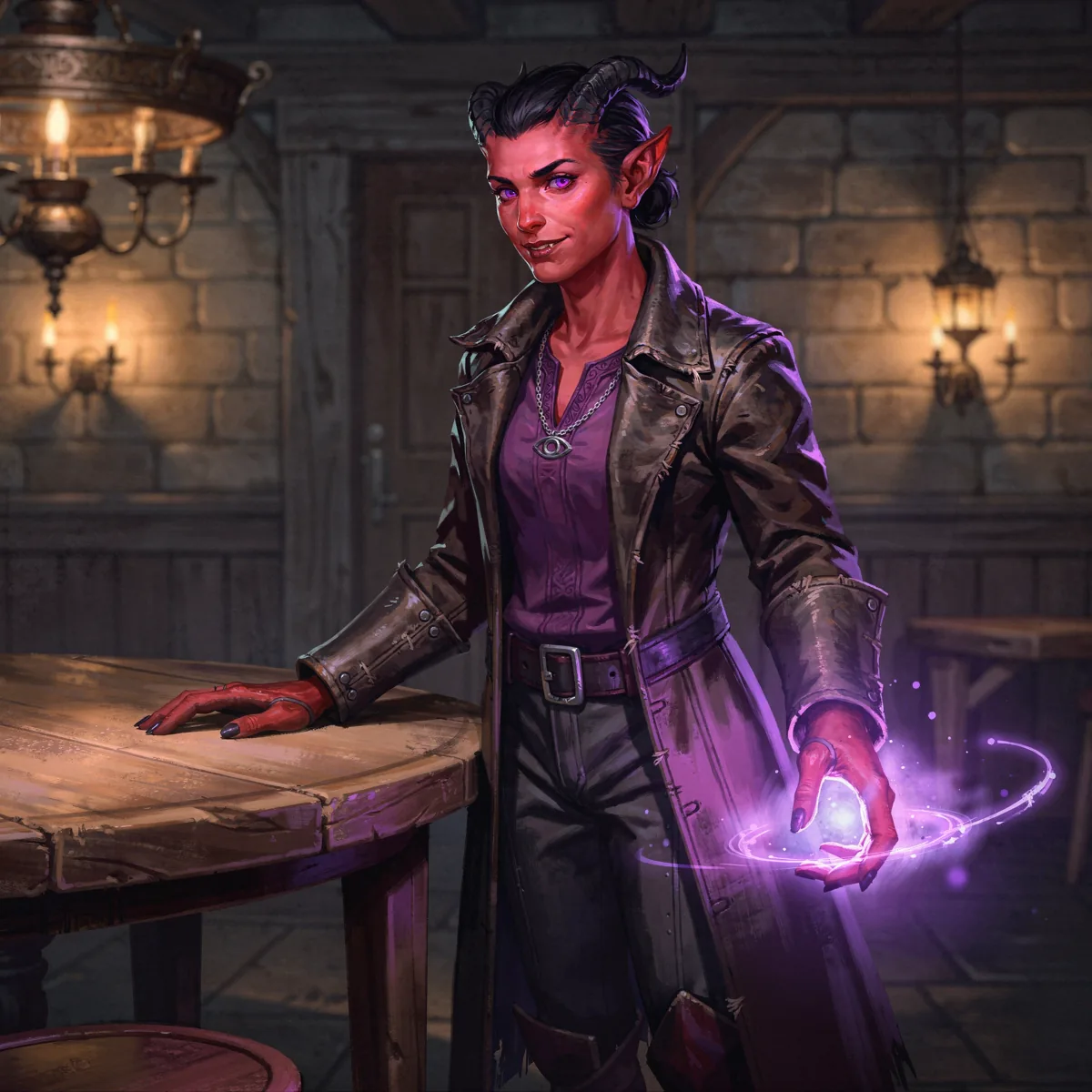
The same character in a scene
Attach the approved portrait as the reference, then describe the new moment. In this example, the face, horns, pendant, coat, and overall style carry forward. Review each new image for details that drift.
Keep this exact same tiefling warlock character. Show them full body, standing in a dim candlelit tavern beside a wooden table, a faint violet spell glow in one hand. Same painterly style, same palette.
03 / Same character
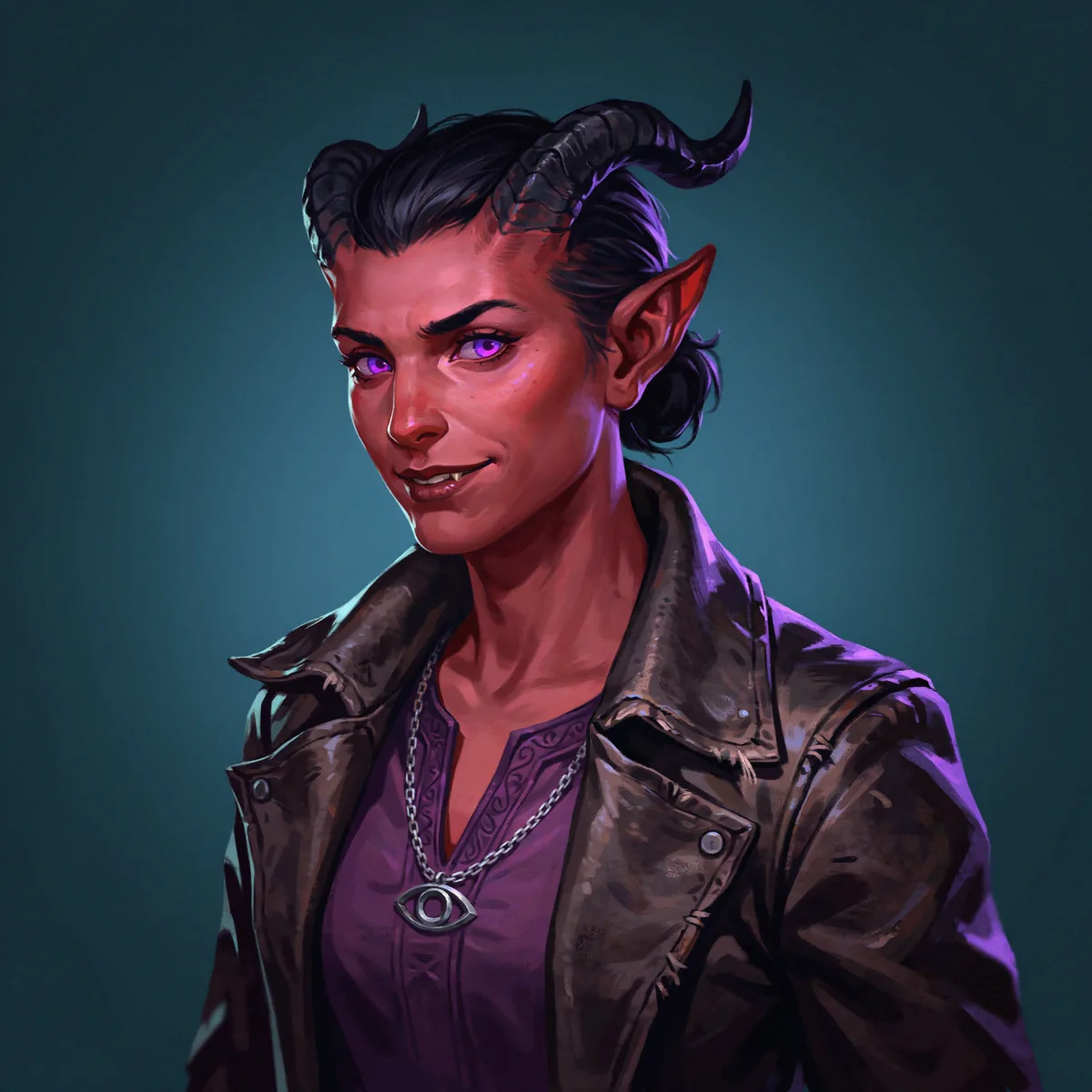
A token-ready square
Ask for a centered head-and-shoulders portrait on a flat background. Add the ring later in the token tool or VTT you already use.
Keep this exact same character. Square head-and-shoulders portrait centered in the frame, suitable for a virtual tabletop token, plain flat solid dark teal background, no border, no text.
Portraits by class and ancestry
More DnD character art: four characters, one prompt each.
Keep the framing and style prompting the same, then change the ancestry, class, and signature items. That gives the party a shared visual style while keeping each character distinct.
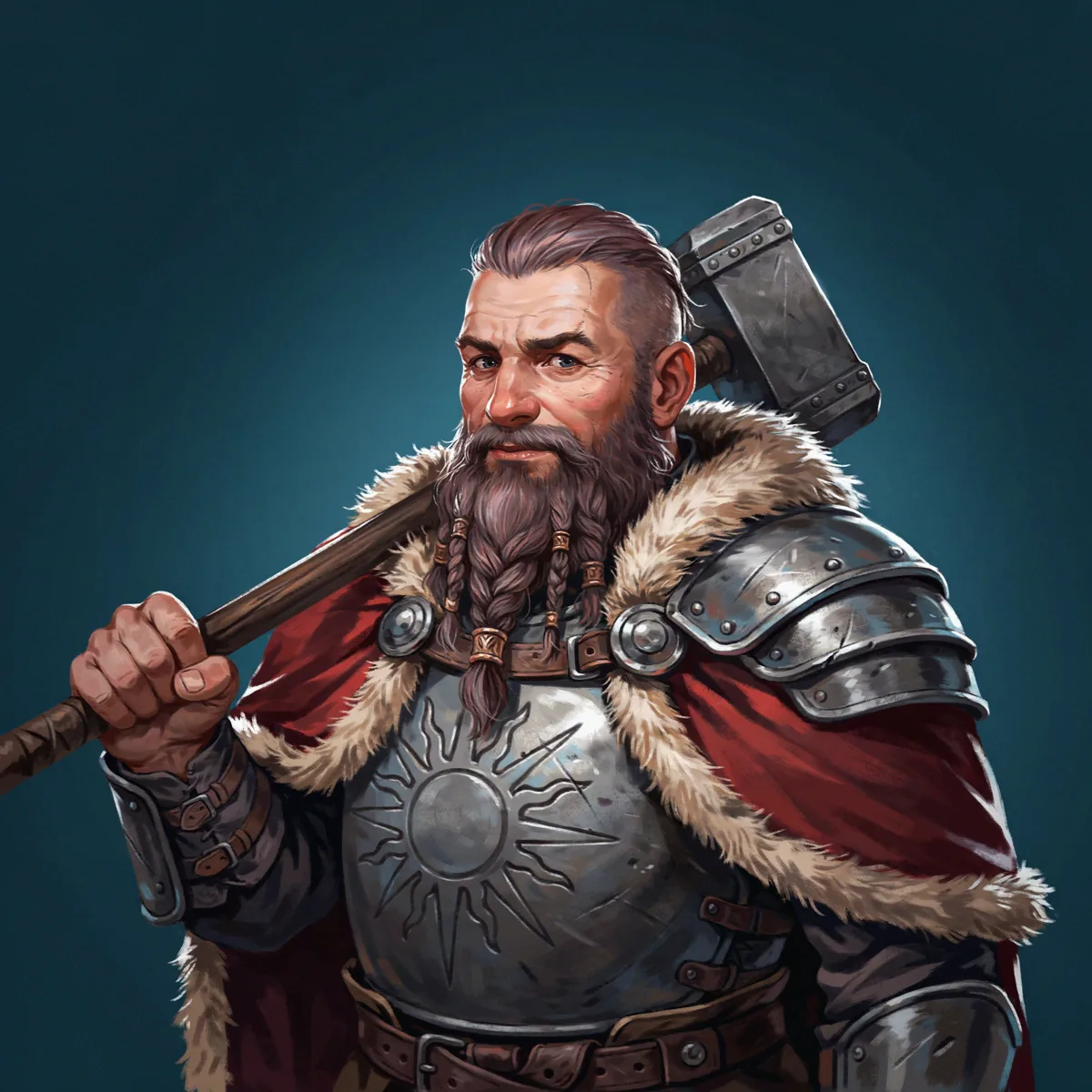
Dwarf cleric
Braided beard with bronze rings, sun-embossed breastplate, warhammer over the shoulder.
Fantasy tabletop character portrait for a D&D campaign: a dwarf cleric, broad face, braided grey-red beard with bronze rings, a steel breastplate embossed with a sun symbol, a heavy fur-lined cloak, holding a warhammer over one shoulder. Waist-up, three-quarter view, painterly illustration, plain dark teal background.
Wood elf ranger
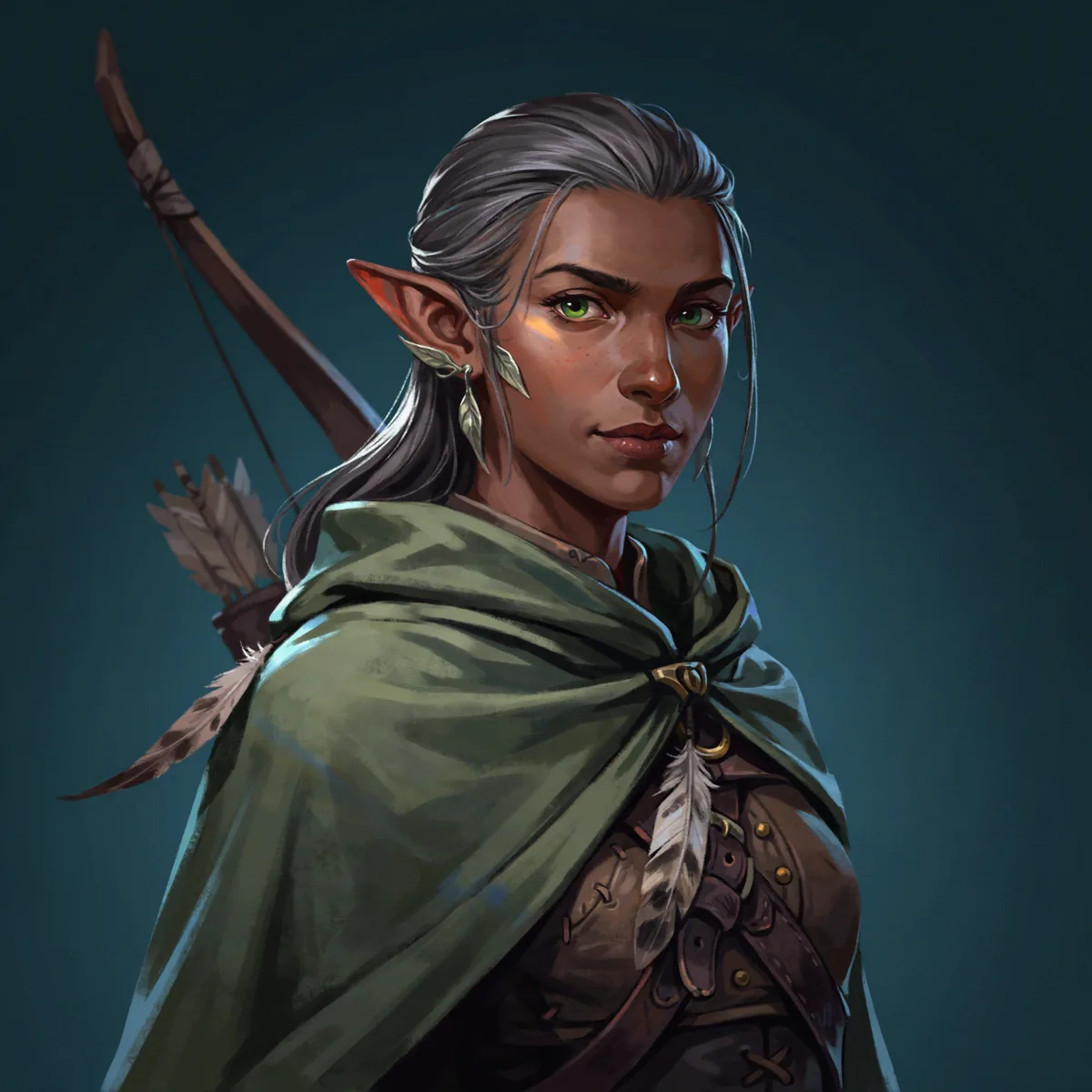
Silver hair tied back, moss-green hooded cloak, longbow across the back.
Fantasy tabletop character portrait for a D&D campaign: a wood elf ranger, dark brown skin, long silver hair tied back, green eyes, leaf-shaped ear cuffs, a hooded moss-green cloak over leather armor, a longbow slung across the back. Waist-up, three-quarter view, painterly illustration, plain dark teal background.
Dragonborn paladin
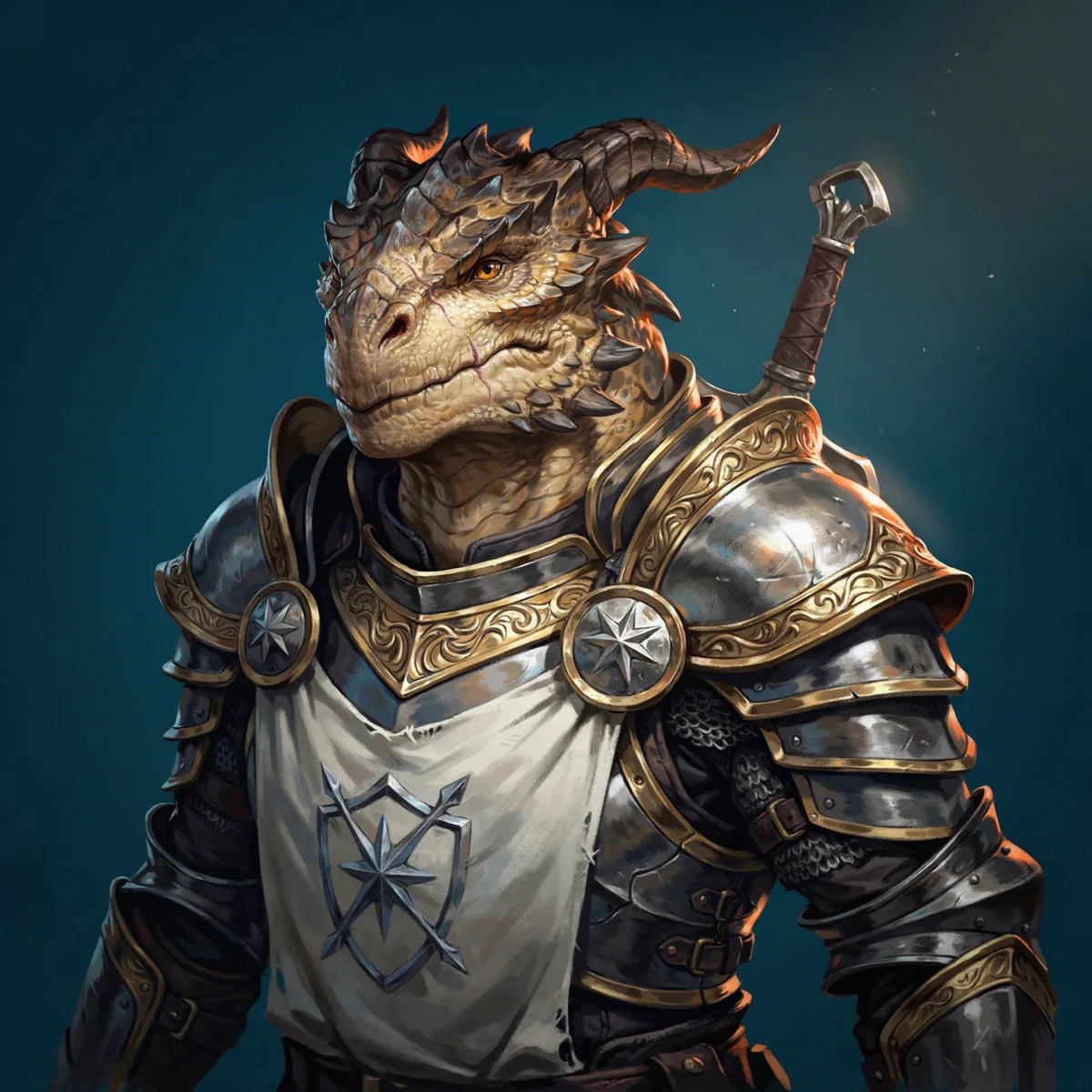
Brass-gold scales, ornate plate armor with a white tabard, greatsword hilt at the shoulder.
Fantasy tabletop character portrait for a D&D campaign: a dragonborn paladin, brass-gold scales, small horns swept back, amber eyes, ornate plate armor with a white tabard and a silver holy symbol of a shield and star, a greatsword hilt visible at the shoulder. Waist-up, three-quarter view, painterly illustration, plain dark teal background.
Halfling rogue
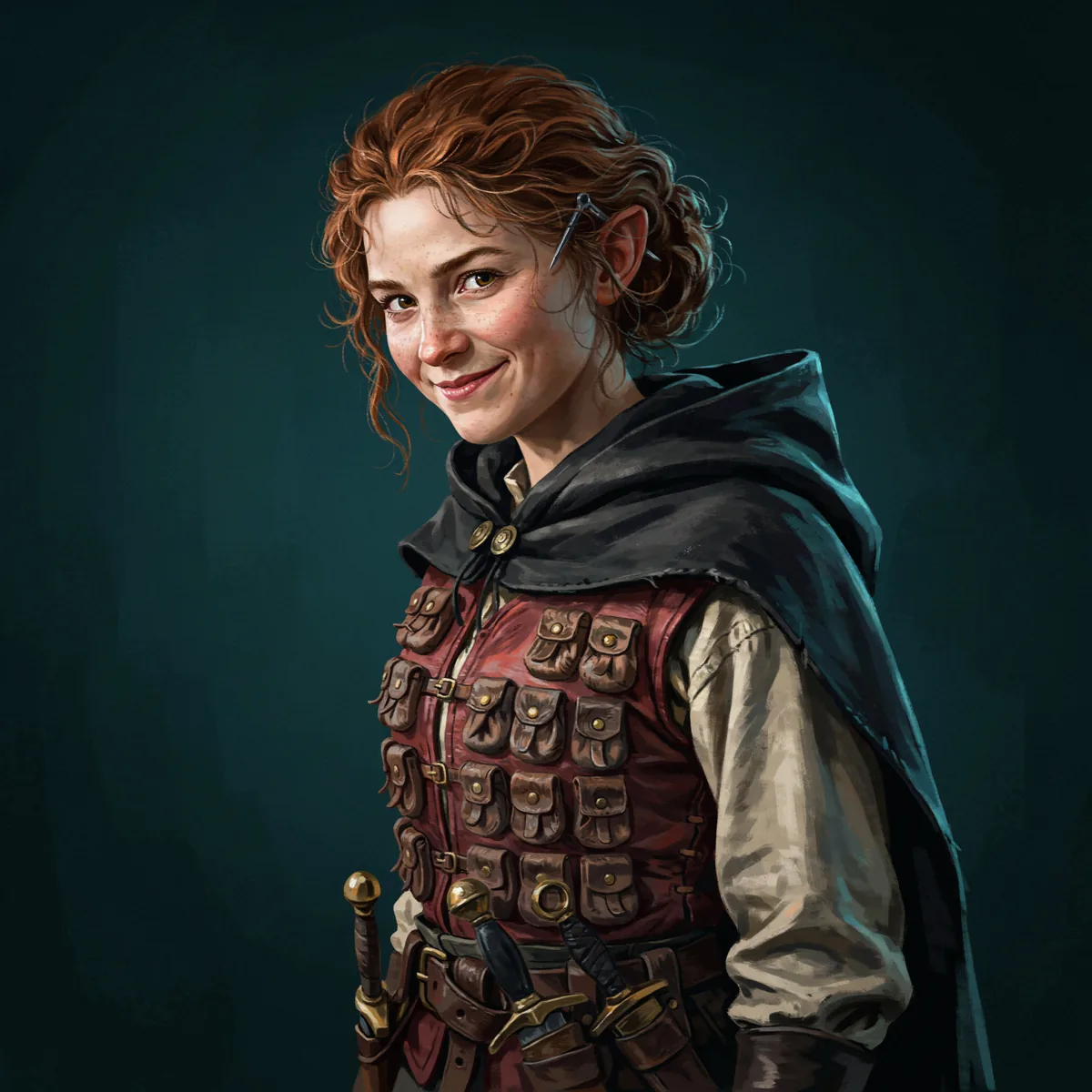
Auburn curls, hooded half-cloak, a vest with small pouches, and two daggers at the belt.
Fantasy tabletop character portrait for a D&D campaign: a halfling rogue, freckled face, tousled auburn curls, sharp grin, a dark hooded half-cloak over a fitted leather vest with many small pouches, two daggers at the belt, a lockpick behind one ear. Waist-up, three-quarter view, painterly illustration, plain dark teal background.
Monsters from a stat block
Create D&D monster art from a description, then refine what missed.
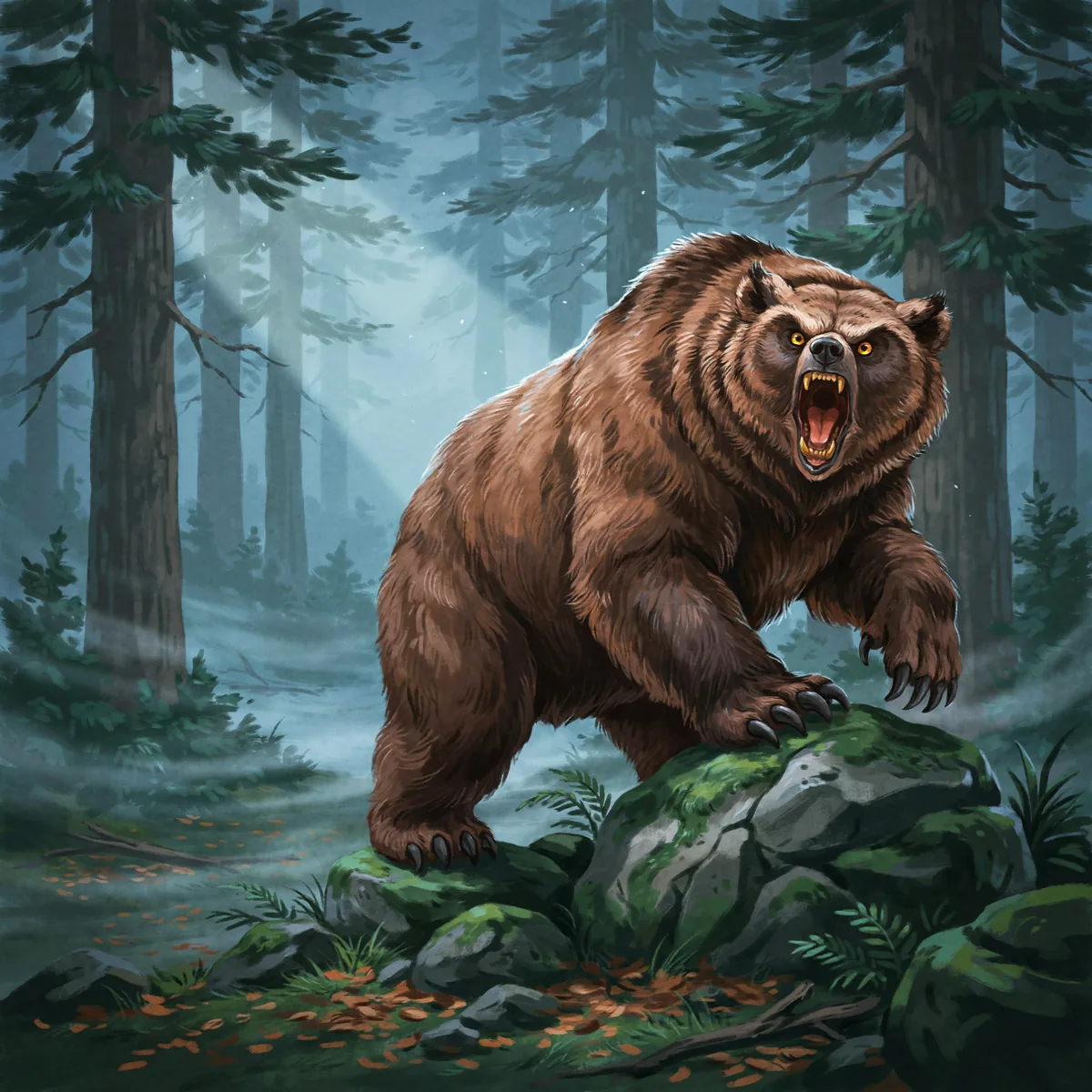
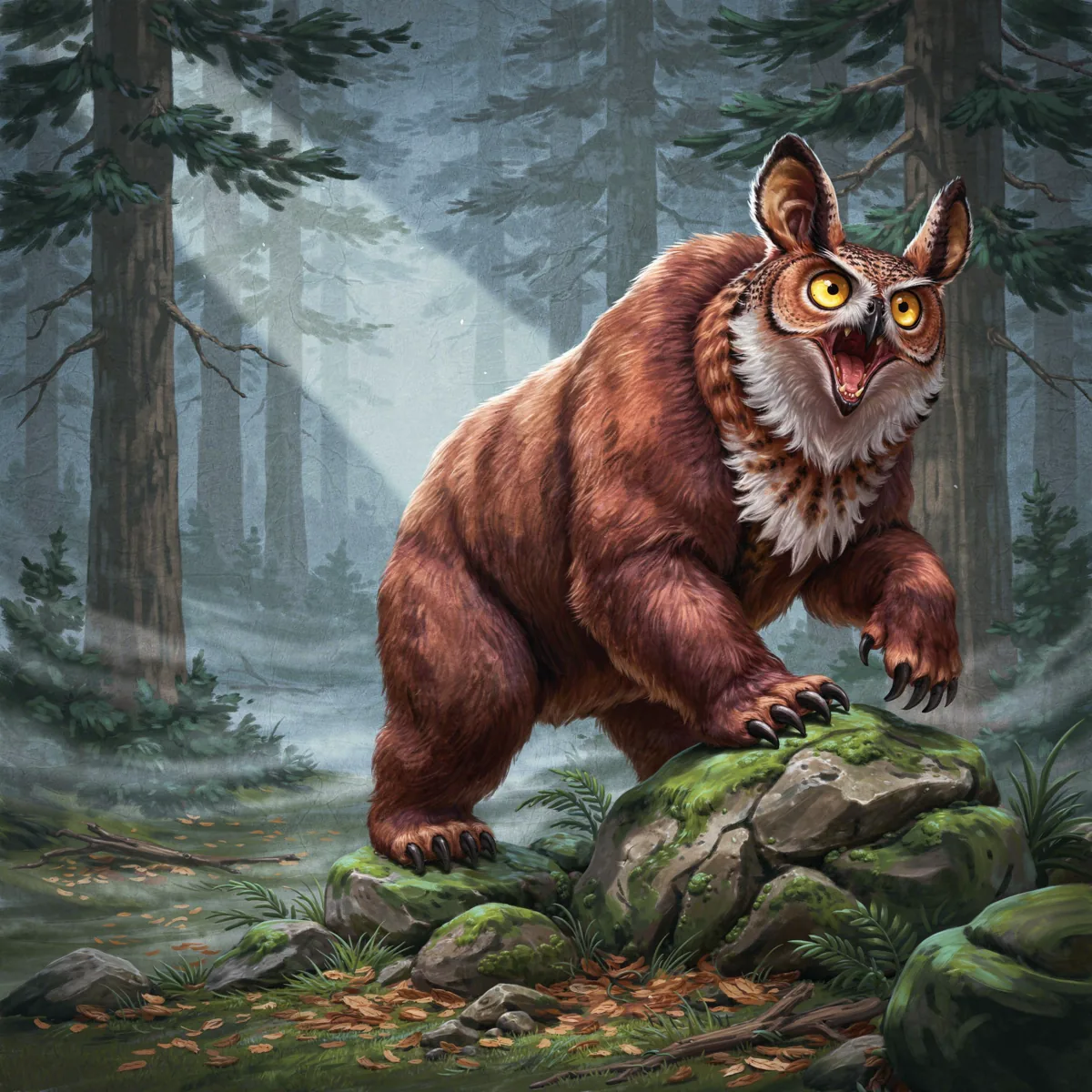
This owlbear started from a stat-block description. The first image looked like a bear. One follow-up prompt, with that image attached, replaced the head. The review step is part of the workflow.
First passPrompt: an owlbear, the body and claws of a brown bear and the head of a great horned owl, crouched among mossy boulders in a misty forest at dusk. Result: a bear.Follow-up turnPrompt: keep this exact scene and body, replace only the head with a great horned owl's, hooked beak, round yellow eyes, feathers blending into the fur.
Tokens
Turn your portrait into tabletop token artwork.
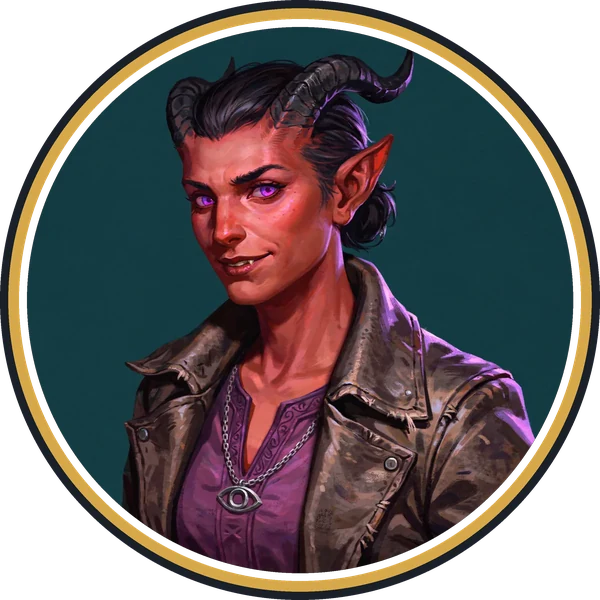
DreamLayer creates the character image. Your VTT token maker can crop it into a circle, add the border, and export the token in the format you use. A short script can do the same, which is how the round token below was made.
Ask for the squareGenerate a centered head-and-shoulders portrait on a flat solid background with no border. The third character example above uses this format.
Download the PNGThe example is 2048 by 2048 pixels, giving you plenty of room to crop it for a virtual tabletop token.
Finish it in a token-making toolCrop the circle and add a border in a separate tool, then import the result into your virtual tabletop. DreamLayer provides the square image. It does not export VTT-specific token formats.
The square image DreamLayer returned, next to the round token made from it. A token maker for 5e or another tabletop system can do the same crop and border step.
FAQ
D&D character art FAQ.
DreamLayer is currently in beta. Email mackenzie@dreamlayer.io if you hit an issue or need a workflow we do not cover yet.
Can I make front, side, and back views of my character?
Yes. Request each view separately with your approved character image attached as the reference. Review the proportions, outfit, and accessories across the set, then arrange the images in your own layout tool if you need a reference sheet. See the character turnaround example.
What is D&D character art made with DreamLayer?
A portrait or scene generated from your description of the character: ancestry, class, gear, expression, and art style. The result can then be attached as the reference for more images of the same character, which is what the three-step example on this page shows.
Can DreamLayer keep my character consistent across a campaign?
It carries the identity forward when you attach the approved portrait as the reference and describe the new scene. In the examples above the face, horns, hair, coat, and pendant held across the portrait, the tavern scene, and the token square. Small details such as buttons or the exact cut of a collar can still drift, so review each result and regenerate the ones that miss.
Can DreamLayer work as a D&D token maker for Roll20, Foundry, or Owlbear Rodeo?
DreamLayer creates the portrait artwork. Use a separate token-making tool to crop the image and add a ring, then import it into your virtual tabletop. DreamLayer does not currently provide circle cropping, rings, or a VTT-specific export. The round example below was made with a separate script.
Do I own the portraits I make?
Yes. Under the Terms of Use, DreamLayer assigns the generated Outputs to you. You are responsible for making sure your use is lawful, for example when a character is based on someone else's protected design.
How much does it cost?
App credit packs start at $8.40 a month for 30 credits, or $10.50 as a one-off pack that never expires. How much of a credit a request uses in the App depends on the work you ask for. Through the Agent API, CLI, and MCP server it is one credit per finished image at US$0.25, with a minimum purchase of 59 credits. Every pack size is on the pricing page.
Can I start from my own sketch or an older commission?
Yes. Attach a PNG, JPEG, or WebP as the reference and describe what should change and what should stay. The same flow covers a new outfit, a new scene, or a cleaner background.
Does it write stat blocks, backstories, or make 3D minis?
No. DreamLayer makes images. Character sheets, stat blocks, and printable 3D miniatures are handled by tools built for them. This page is about the art.
Which art styles work?
Name the style in the prompt. The examples here use a painterly illustration style with a plain dark background; ink and watercolor, comic, and pixel art also work. Keep the style prompting identical between images of the same character so the set matches.
Start with the portrait
Create your D&D character portrait, then use it as the reference for the campaign.
App credit packs start at $8.40 a month or $10.50 one-off. Once you approve the portrait, attach it as the reference for later scenes and token artwork. Review each result for details that drift.